




My Pages - your account
Manage your account
Manage your account
If you are in a bidding process, you can choose to receive email notifications when you have been outbid. This makes it easy for you to decide whether you want to place a higher bid.
If you wish to turn off this feature, you can easily do so via "My Pages" and "Edit my profile". At the bottom of the page, tick or untick the checkbox for "Email notifications". Then save the changes to update your profile.
Click on "My pages" in the top right corner to find:
At the top of "My Pages", you can change your password. If you need to change your email address, you can contact us and we will help you. We are working on making it easier for you to manage your account yourself in the future.
Yes, you can easily change your personal details by clicking on "My pages" at the top right of the page and then the "Edit my profile" button. At the bottom, you can also check the box if you want to receive an email notification when you have been outbid.
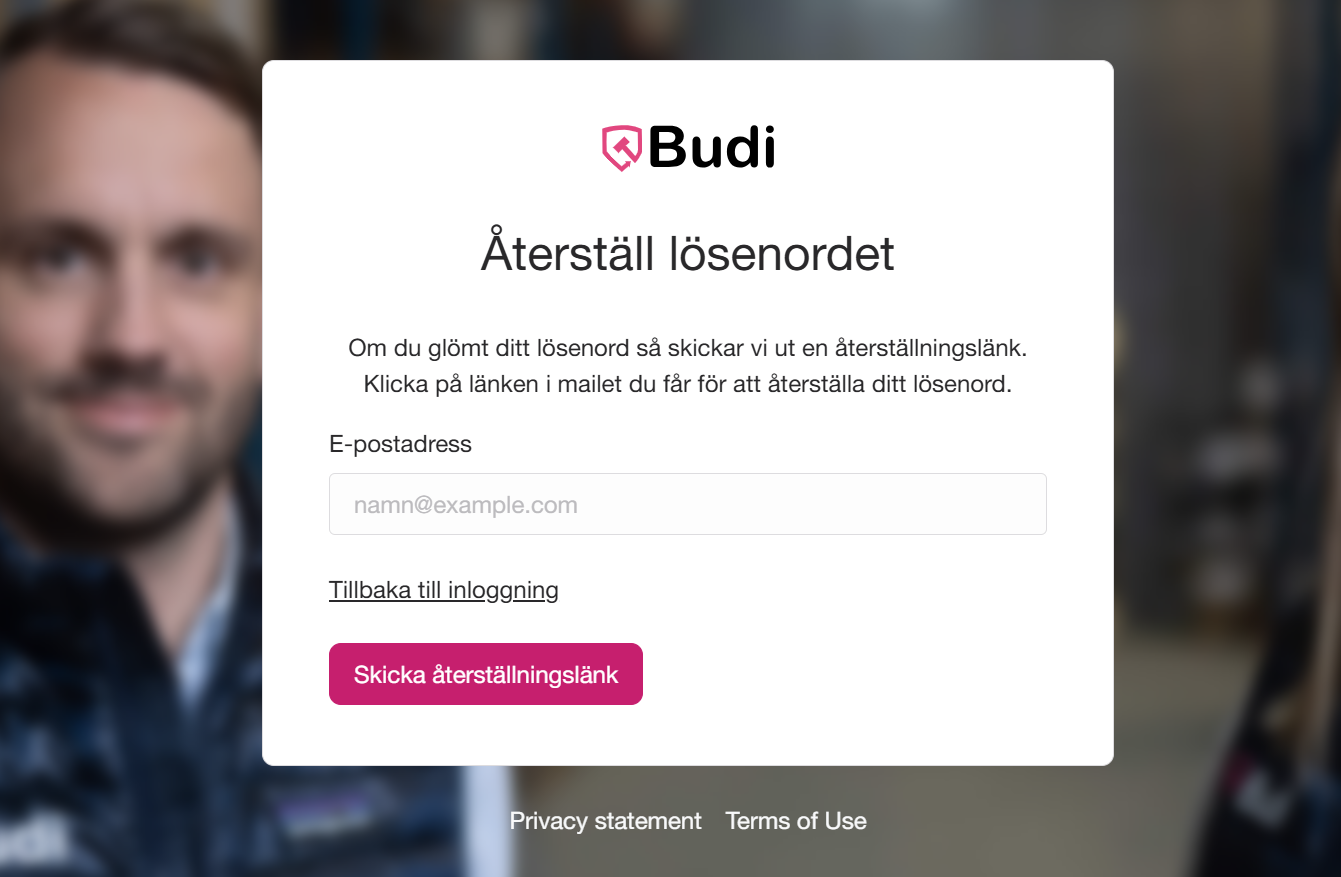
If you have forgotten the password for your Budi account, you can easily reset it by following the steps below.
How long is the reset link valid?
The link is valid for 24 hours.
It can only be used once.
What should I do if the link does not work?
If the link has expired, you need to request a new one via the reset page. Also check your spam folder if you cannot find the email in your inbox.
Can I change my password without a reset link?
Yes! If you are already logged in, you can easily change your password via My Pages.
Tip
Make sure you enter the same email address that is linked to your account. If you are still having problems, contact our support team.

How your purchase is delivered


Payment methods and terms

How returns and the right of withdrawal work

How we test products

Rules and tips for bidding

The basics of using Budi

For those who want to sell through Budi

Manage your account

How collection works
We have offices, service centers, and storage facilities throughout Sweden to help you quickly – wherever you are.

